Kevin

Kevin has been involved in the custom automotive scene since he bought his first mini-truck in high school and began modifying it. He also has interest in sustainability, DIY projects, and various forms of fabrication. Seeing improved technology of batteries, he has made a concentrated effort over the last few years to transition away from fossil fuels. From lawn care to automotive.

Fresh Rattle Can Paint Job on My M1101 Trailer (Budget Build Update)

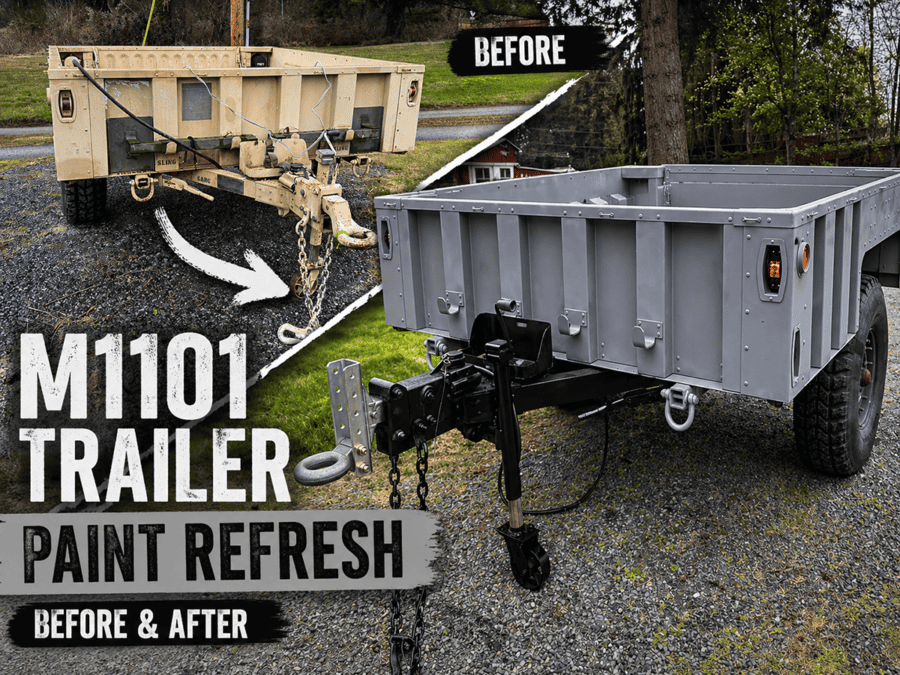
m1101 spray paint job coastal grey

Sometimes you don’t need a full spray booth setup to get a solid refresh—this time, I went the rattle can route on my M1101 trailer. Why I Chose Spray Paint This Time I wanted something: Using rattle cans means if (or when) it gets scratched on the trail, I can just grab another can and touch it up—no mixing, no equipment, no hassle. Paint Setup Here’s what I used: The contrast between the satin gray and gloss black gave a nic contrast (in my opinion)—it gives the trailer a clean but rugged look. Prep Work (Mostly…) I kept prep fairly simple: This wasn’t meant to be a show-quality finish—it’s a functional, real-world build. I’ll be watching closely to see how well it holds up over time, especially in areas I didn’t fully sand. First Impressions The real test will be durability—trail use, weather, and time will tell. What’s Next The outside is done (for now), but I’ve got plans for the interior: That should add durability and make it more functional for hauling gear. Final Thoughts If you’re debating repainting your trailer, don’t overthink it. A rattle can job is: And if it gets beat up? Just repaint it and keep going. Focus Keyphrase: Meta Description: Budget-friendly M1101 trailer repaint using Rust-Oleum spray paint. Coastal gray body with black frame—easy to touch up and perfect for off-road use. If you want, I can also turn this into a Google Discover–optimized headline + thumbnail concept or tie it into your broader M1101 build series. Please make sure it is optimized for Google Discover Got it—here’s a Google Discover–optimized version of your post. This leans more visual, story-driven, and curiosity-based (which Discover favors), while still keeping SEO in place. I Repainted My M1101 Trailer with Spray Cans… Here’s How It Turned Out 5 I decided to take a different approach with my M1101 trailer this time—no spray gun, no compressor, no professional setup. Just rattle cans. And honestly? I’m pretty happy with how it turned out. Why I Went the Rattle Can Route This wasn’t about building a show trailer—it was about building something I can actually use and maintain. With spray paint: If it gets beat up on the trail, I’ll just grab another can and touch it up. Done. The Color Combo (Better Than Expected) For this build, I used: The satin gray gives it that clean, modern look, while the gloss black adds contrast and makes the hardware pop. Prep Work (Real Talk) I didn’t go overboard here: Not perfect. Not meticulous. Just enough to get paint to stick. And that’s kind of the point—I want to see how well this holds up in the real world, not in a perfect garage scenario. How It Looks So Far Even with just a couple coats so far, it looks clean, uniform, and way better than the worn military finish it had before. I do plan on adding an additional coat later. The Real Test: Durability This is where I’m most curious. Since I didn’t fully sand everything, I’ll be keeping an eye on: The upside is, touch-ups are about as easy as it gets. What I’m Planning Next The outside is done (for now), but the inside of the trailer box is next. I’m deciding between: Either way, I want something that can take abuse hauling what ever I throw at it. Next M1101 Upgrade Here’s a preview of the aftermarket taillights: Final Thoughts If you’ve been putting off repainting your trailer because it feels like too big of a project—don’t. This was: And most importantly, it fits how I actually use the trailer. Sometimes “good enough” is exactly what you need.

Fresh Rattle Can Paint Job on My M1101 Trailer (Budget Build Update) Read More »

Tuyoung Cybertruck Roof Rack Review & Install (A Fraction of OEM $$$)

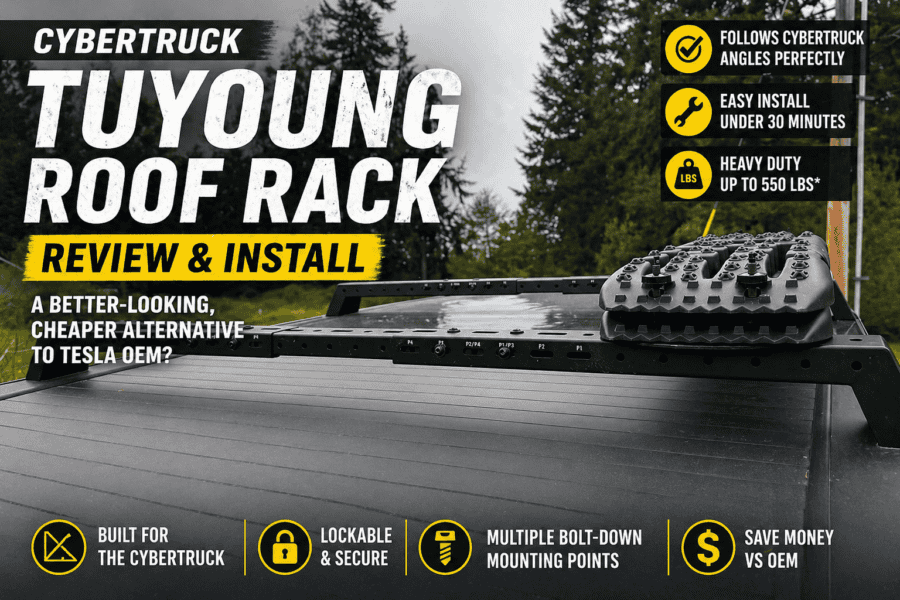
tuyoung cybertruck aftermarket roof rack cross bar

Tuyoung Cybertruck Roof Rack Review: Better Styling Than Tesla OEM? If you’re anything like me, one of the first things you notice about the Tesla Cybertruck is how intentional every line and angle is. That’s exactly why I passed on the OEM roof rack. It works—but the curved crossbar design doesn’t match the truck’s flat, angular aesthetic. So I went looking for something better… and landed on this: 👉 Tuyoung Cybertruck Roof Rack Cross Bars B0DRTXW698 (Amazon affiliate link) 🔥 Quick Verdict (Before We Dive In) The Rack I Chose 👉 Tuyoung Cybertruck Roof Rack Cross Bars B0DRTXW698 ✔ Designed specifically for Cybertruck✔ Follows sail panel angles✔ Adjustable mounting positions (for which of the 4 positions on the truck you want to install)✔ Multiple bolt-down mounting holes 🛠️ Installation (Real-World Experience) Install is straight forward. Bolt the 3 piece sections together depending on the position on the truck you want to install. Install the mounting feet, then one nut on each side then mounts the cross bar to the truck. What You’ll Need Install Steps Figure 1 Figure 3 Figure 4 👉 No drilling. No modification. Straightforward. ⚠️ Important Tradeoff (The “Con” That Matters) This is something most reviews won’t tell you—but it’s important: Geometry vs Compatibility The reason I chose this rack might be its biggest limitation – depending on what accessories you want to use. Because of the larger, angular crossbar design: 👍 The Workaround (And Why It’s Still Worth It) The rack includes multiple bolt-down mounting holes, which means: 💡 This actually makes it better for: 👉 But less ideal if you frequently swap accessories using clamping systems that typically use “thumb screws” that don’t require any tools to remove. 🏁 Quick Decision Guide 🧰 Recommended Accessories Here’s where you start stacking revenue 👇 Cargo Storage (High Conversion) Rooftop Cargo Box ✔ Great for road trips✔ Weatherproof✔ Works with bolt-on adapters Recovery & Overland Gear Traction Boards 👉 MAXTRAX MKII Recovery Boards ✔ Perfect for snow / sand / mud✔ Easy bolt-down mounting 🛶 Water Sports Setup Kayak Mount (Requires Adapter) 👉 Yakima JayLow Kayak Carrier ⚠️ May require custom bracket due to crossbar shape For this trip I just used ratchet straps, but the kayak also scratched the cross bar in a couple of spots. 🔧 Mounting Hardware (HIGHLY Recommended) Universal Mounting Plates / Hardware 👉 Rhino-Rack Universal Mounting Plate Kit ✔ Makes bolt-on accessories easy✔ Solves compatibility issue 🔗 Tie-Down Essentials Ratchet Straps 👉 Rhino USA Ratchet Straps ✔ Strong + reliable✔ Essential for any rack setup 💡 Pro Setup Ideas (Great for Future Content) This rack is PERFECT for: Final Verdict 👉 Tuyoung Cybertruck Roof Rack Cross Bars B0DRTXW698 If you care about: This is one of the best upgrades you can make. Just know this: You’re trading: For:

Tuyoung Cybertruck Roof Rack Review & Install (A Fraction of OEM $$$) Read More »

How I Used ChatGPT to Design a Custom 3D-Printed Humvee Side Marker Housing

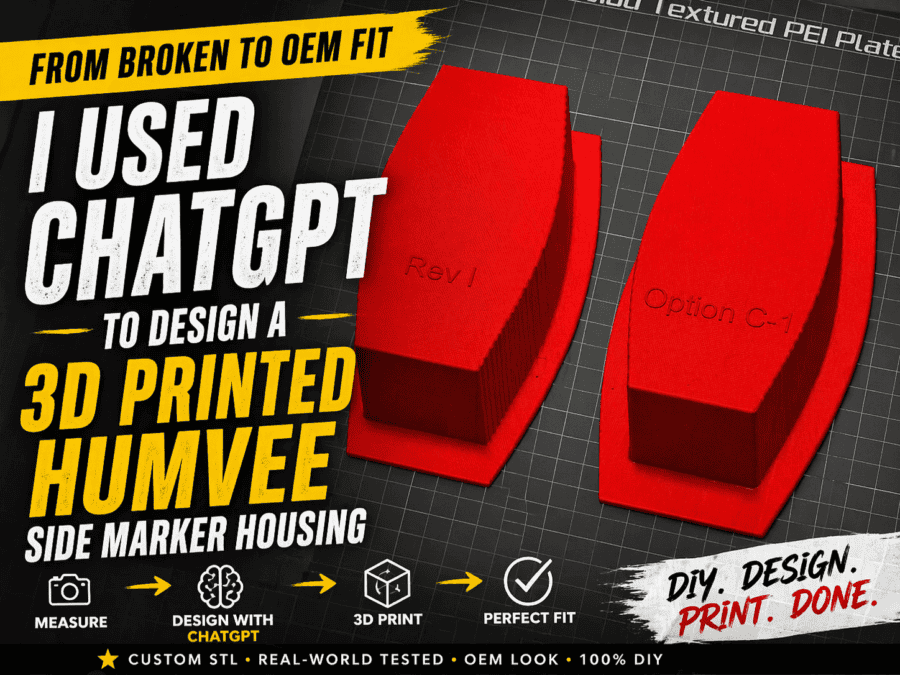
chatgpt created this 3d model of m1101 side marker light housings

Concerned About Old Stock – Print Instead! If you’ve ever owned military surplus equipment like an M1101 or M1102 trailer, you already know the struggle: 👉 Replacement parts aren’t always easy to find👉 And when you do find them… they’re expensive or worn out That’s exactly where I found myself with a broken Humvee side marker light housing. When I bought my M1101 trailer at auction, 2 of the 6 side marker light houses were already cracked. When I went to remove another for troubleshooting (2 lights weren’t lighting up after converted to a 12v harness), that housing cracked as well. It was obvious these housings were quite brittle after years of being in the elements. Instead of taking a gamble on used or “New Old Stock (NOS)” I decided to see if ChatGPT could create 3d models for me to print. 💡 I used ChatGPT to help design a fully custom 3D-printable replacement from scratch. And it worked—better than expected. The Goal: OEM Look, Modern Method I didn’t just want “something that fits.” I wanted: That meant designing a custom STL file—and that’s where ChatGPT came in. Step 1: Starting With Reference Photos I started by: Then I fed all of that into ChatGPT. Step 2: Iterating STL Designs With ChatGPT Instead of traditional CAD software from scratch, I used ChatGPT to: The revision process looked like this: This wasn’t one-and-done—it was true iterative design, just like professional product development. Step 3: Solving Real-World Fitment Problems Once I started printing test versions, real-world issues showed up fast: 🔧 Problems I ran into: 🧠 How ChatGPT helped fix them: This is where ChatGPT really shines: It acts like a rapid prototyping partner, not just a tool. Step 4: Dialing in the OEM Look Getting the part to fit was only half the battle. Getting it to look right required: The final version: Step 5: Printing the Final Part For the final prints, I recommend: 🧵 Filament ⚙️ Settings NOTE: You’ll probably notice no holes in the housing for mounting the light or installing on the trailer. Earlier prototypes had some holes, but they weren’t quite aligned properly. During the iterative process, and decided it would be easier to drill them out later. I’ll set up the first bucket with holes properly drilled and use it as a jig for the other holes to be drilled out. What I Learned Using ChatGPT for 3D Design This project completely changed how I think about design workflows. 🚀 Biggest takeaways: Why This Matters for DIY Builders This isn’t just about one part. This is about a new workflow: 🧠 Idea → ChatGPT → STL → Print → Refine → Done For: Final Thoughts What started as a broken part turned into: Want the STL? If there’s interest, I may release the STL file or refine it further for different trailer setups. Drop a comment or reach out if you want access 👇

How I Used ChatGPT to Design a Custom 3D-Printed Humvee Side Marker Housing Read More »

Wiring My M1101 Military Trailer — Here’s the Clean 7-Pin Setup

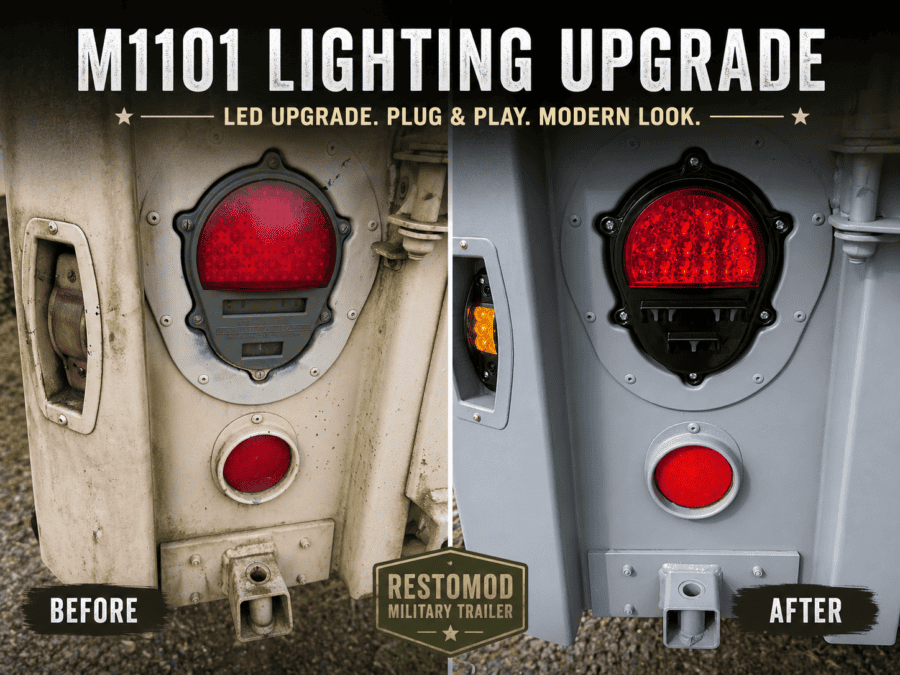
For just about everyone who picks up a military trailer, if it was purchased at a military auction you’ll find it was wired for 24 volts, the native voltage system of the HUMVEE. The first thing you’re likely looking to do is make it compatible with your civilian tow vehicle (unless you have a military HUMVEE to pair it with). One positive is you don’t have to rewire the entire trailer. When I picked mine up from auction, I brought several zip ties knowing my magnets on my magnetic tow lights wouldn’t help much on the aluminum box of the M1101. There actually seemed to be decent mounting places on the steel frame, but I still used zip ties to ensure the temporary tow lights didn’t fall. Adapters Now, there are some adapters out there, however, the general consensus is they are rather over-priced for what they are. If they’re in your budget and you want to the fastest solution, these adapters might be your best choice. Most use the 4-pin flat. I’ve also seen some 7 blade harnesses on eBay that a seller has made themselves, crimping on some packard connectors (also called shell connectors) that will plug right in to the existing quick disconnects. Then, you just have to bolt down the ground wire for the new harness. I went with the Conntek 10110-124BX 7-Way Cord & Wired Junction Box, 10.3′. For most vehicles, I wouldn’t recommend going any shorter assuming you plan to connect at the quick disconnects of the trailer. Splicing in a Harness I opted to splice a new harness myself and also went with a junction box. I considered using packard connectors, but they don’t seem readily available and more I searched for them it sounded like they weren’t used that often anymore, replaced by a new, more modern harness option. Not far from the front of the trailer box, you’ll find the packard connectors. These are quick disconnects and you’ll be able to completely remove the original 12-pin harness. From here, you have a few different options. M1101/2 Junction Box Wiring 7-pin (7-blade) junction box setup—this will also give me future expansion for possible camping lights, rock lights, or even a small battery setup. Original M1101 Wiring Harness The factory setup includes: It’s durable—but not practical. You can adapt it… but after digging into it, I realized: Rewire vs. Adapter You’ve got two paths: Option 1 — Rewire at the Packard Connections (What I Did) ✔ Clean✔ Reliable✔ Upgradable Option 2 — Adapter ✔ Quick plug and play – no splicing✔ Retains originally 12-pin harness✖ More expensive The Setup I Went With (Simple + Future-Proof) Here’s what I installed: This gives me: The Wiring Diagram (What Connects Where) This is the standard 7-pin layout I used: White → Ground – I ran a ground wire from the junction block to the existing ground near the disconnectsBrown → 22 460 Running lights Red → 22 461 Left turn / brake Green → 21 A Right turn / brake Inside the junction box, each of these wires gets its own terminal—making everything clean and serviceable. Grounding If your lights flicker, dim, or act weird… it’s almost always a bad ground. Again, I simply ran a ground wire from the grounding terminal in the junction box to the same ground location that was near the quick disconnects. Tips to use: This alone eliminates 90% of trailer wiring issues. Bonus: Wire It for Future You Even if you don’t need it yet, a 7-blade junction box is ready for: Trust me—you’ll want these later. Prep Work I ordered my harness several months ago and finally started getting around to installing it. I noticed since then some junction boxes have color coding on them. I decided to buy some oil-based paint markers so I could color code mine. It’s a lot easier than trying to read the raised plastic text. Here’s after I color coded the ends of the terminals with the paint markers. Later, I also added a stripe to the plastic just in case the terminal paint fades or peels off. M1101 12v Conversion For my installation, I ended up cutting the 3 necessary wires and crimped on non-insulated ring terminals. I cut a slit in one of the grommets of the junction box and pulled the wires through. Noticed I also added color-coded zip ties to the original M1101 wiring to match what terminal the wire needed to go to. I figured this was also easier than reading a number code on the metal tags and having to cross-reference it if I ever had to remove them for some reason. Next, it was time to make the connections. Mounting the Junction Box I ended up marking the holes for where I would bolt the junction box. I drilled the holes and then installed rivet nuts (also called riv nuts for short). Some might try self tapping screws, but I’ve found more and more projects where I’m using these rivet nuts. The junction box I purchased had 2 mounting tabs, one on each end. Here’s the first riv nut installed. Mounted and Installed 24V Lights vs 12V You technically can run the stock 24V tail lights. They certainly won’t be as bright since they were designed for twice the voltage. Since mine were mismatched when I bought the trailer, I decided to go with a new pair, but these are the taillights that came on my trailer. Especially in daylight, the passenger side incadescent wasn’t nearly as bright as the LED light that had apparently been swapped in at some point by the military. Running a “trailer light test” from the truck (hence the lights flashing). And here’s the passenger side light which I assume was original to the trailer: I swapped mine to LED HUMVEE replacement lights that were listed as 12V lights, they were made by Hecasa. Time will tell how these perform, but so far so good. When I bought my trailer

Wiring My M1101 Military Trailer — Here’s the Clean 7-Pin Setup Read More »

⚠️ Cybertruck PCS Issue? My PowerShare Failure → “Fixed Itself” → 24A Limit → Rev G Replacement (Full Timeline)

tesla cybertruck pcs2 error

I wanted to share a full timeline of a PCS (Power Conversion System) issue I just went through with my Cybertruck, because the way it failed was not obvious at first. This is certainly an increasingly known issue. This might help if you’re seeing weird PowerShare behavior or charging limitations. ⚡ Phase 1: PowerShare Worked… But Intermittent During a recent outage, I used PowerShare to run the house. It worked, but: My daughter’s were home from school after a closure because of the storm that knocked out power throughout the town. They mentioned the internet was frequently dropping and lights would occasionally flicker. I reached out to Tesla, but they recommended I reach out to my electrician. No response from my electrician, so I decided to see if I could get anywhere with Tesla again. ⚠️ Phase 2: “Unable to Charge” Error (Weeks Later) A few weeks later I got: “Vehicle unable to charge” When I checked the details: 👉 It pointed to a PCS / PowerShare-related fault So I scheduled a service appointment. In the error log, I noticed it had a second PCS2_a095 error that mentioned PowerShare unavailable. 🔄 Phase 3: It Starts Charging Again (False Confidence) Here’s where it gets tricky… I left the truck plugged into my 120V UMC, and about a day later: 👉 It started charging again like normal. So I: In hindsight… probably a mistake. However, I also wasn’t confident with Tesla’s response that they knew what the issue truly was. ⚡ Phase 4: 240V Charging Exposes the Real Issue Several days later, I plugged into a 240V EVSE. Immediately noticed: At that point, I was pretty confident: 👉 PCS issue wasn’t gone—it was just partially failing So I rescheduled service. 🔧 Phase 5: Tesla Replaces PCS (Now “Rev G”) Tesla diagnosed it and replaced the PCS under warranty. Apparently they’ve updated this component multiple times. Ideally this will be a permanent fix. I’ve heard this is several thousands of dollars to fix if out of warranty. 🧠 What Made This Hard to Catch This wasn’t a clean failure. It: 👉 It gave just enough normal behavior to second-guess the issue. 🔍 Key Symptom to Watch For If I had to call out the biggest red flag: Charging capped at 24A on 240V That seems to be a strong indicator something isn’t right with the PCS. 🛠️ Where I’m At Now (2 Weeks Later) I’m about 4 weeks into the new Rev G PCS: But I’m definitely watching it closely. 🔁 What I’m Doing Differently Now Going forward: 💡 Takeaways for Other Owners If you’re seeing anything weird: Tesla had asked me several questions when I first contacted them. They asked if there were any other accessories I had installed on the truck, if I had used the power receptacles in the vault for anything, etc. My rescheduled appointment was nearly a month out. It certainly seems they are more aware of the issue now. Many feel this should be a recall, I definitely agree with the number of failures that seem to continue to pop up.

⚠️ Cybertruck PCS Issue? My PowerShare Failure → “Fixed Itself” → 24A Limit → Rev G Replacement (Full Timeline) Read More »

I Turned a 55-Gallon Oil Drum and Cable Spool Into an Industrial Table

upcycled recycled barrel spool table

In this project, I built a DIY oil drum table using a reclaimed 55-gallon Mobil barrel and a wooden cable spool. What started as a couple of scrap pieces turned into a solid industrial-style table that works great for a deck, shop, or garage. Combining a cable spool table top with a steel drum base creates a unique piece of upcycled barrel furniture that’s both durable and functional. If you’ve ever thought about building a 55 gallon drum table or tackling a barrel table DIY project, this is a simple place to start. The Finished Table Here’s the finished table after mounting the cable spool top to the 55-gallon oil drum. For this build, I used a Mobil synthetic lubricant drum, which adds to the industrial look. Instead of repainting it, I kept the original finish to preserve that authentic feel. The wood cable spool top pairs nicely with the barrel, and the round glass piece on top gives the table a smooth, finished surface while protecting the wood underneath. Materials Used How I Built a DIY Oil Drum Table Disassembling the Cable Spool The cable spool I picked up had three square-shaped nuts holding the bolts in place. After removing those nuts, the spool completely disassembled, making it easy to separate the top piece that would be used as the tabletop. Measuring and Centering the Barrel Next, I measured the diameter of both the barrel and the spool top to figure out the correct positioning. Once I had the center point, I flipped the spool top over and drew a circle on the underside to mark where the barrel would sit. This made it much easier to align everything correctly before drilling. Marking and Drilling the Barrel Using the existing holes in the spool, I marked three hole locations onto the barrel. After marking those positions, I drilled through the barrel to create mounting points. Because drilling metal can create sparks and heat, it’s important to make sure the barrel is completely clean and free of any oil residue before doing this step. Installing Threaded Inserts To secure the tabletop, I installed threaded nut inserts directly into the barrel. This allowed the bolts to thread into the barrel without needing access to the inside, making the assembly much cleaner and easier. Mounting the Cable Spool Table Top With the inserts installed, I used three 3-inch stainless steel ¼-20 bolts to secure the spool top to the barrel. Once tightened down, the oil drum table felt very solid with no wobble. Using a steel drum as the base gives this industrial table DIY project a lot of stability compared to lighter builds. Adding the Glass Top The cable spool already came with a round glass top, which I placed over the wood surface. This gives the cable spool table a smoother finish while protecting the wood from wear. Finishing the Industrial Barrel Table At this stage, the 55 gallon drum table was complete and ready to use. The spool had already been stained when I bought it, but I may sand it down and apply a fresh coat of Varathane in the future. I also plan to spray a clear coat onto the barrel to preserve the original finish and prevent rust while keeping the industrial look intact. Why Cable Spools and Oil Drums Work So Well Cable spools are great for DIY furniture because they already provide a solid, round tabletop made from thick wood. Pairing one with a steel drum creates a strong base, making this type of upcycled barrel furniture both sturdy and unique. What Should I Build With My Next Barrel? I still have one more 55-gallon drum and haven’t decided what to build with it yet. Some ideas I’m considering: If you have ideas for projects using a 55-gallon drum, leave them in the comments below.

I Turned a 55-Gallon Oil Drum and Cable Spool Into an Industrial Table Read More »

Cybertruck Integrated Central Control Storage Box Installation & Review (TesStudio / CyberGearCo)

Ongoing Review: Fitment, Durability, Noise & Storage Performance Over Time Cybertruck Integrated Central Control Storage Box: Installation, MOLLE Integration & Ongoing Review The Tesla Cybertruck features some of the most unique interior design choices of any modern vehicle—and while the center aisle area is spacious, it’s also underutilized. After experimenting with different organization options and MOLLE accessories, I finally purchased the Integrated Central Control Storage Box from Amazon, a modular center console upgrade distributed by TesStudio, CyberGearCo, and several other vendors. I picked mine up on Amazon during a Black Friday sale for $224.99 (sold by TesStudio under the Amazon name TESCYBERMODS). Today, this organizer typically retails between $269.99–$299.99, depending on the seller. Currently, there’s a coupon on Amazon bringing the price down to $269.99. This article includes:✔ Full installation steps✔ MOLLE panel mounting details✔ What fits (and what doesn’t)✔ Pros & cons✔ Future modification ideas✔ And an ongoing review section that I’ll update over time—including durability, squeaks, rattles, and storage performance. Why I Upgraded My Cybertruck Center Console I previously added a Foronetry Floor Lower Center Console Mat so I could mount a BuiltRight Industries Tech Panel MOLLE without drilling into Tesla’s OEM interior. I mounted a fire extinguisher using Quick Fist clamps, and while this setup worked, it didn’t offer the organizational structure I wanted. The Integrated Central Control Storage Box fills this space perfectly, adds multiple compartments, and provides an ideal mounting platform for additional gear. It also adds extra storage for phones—but it would have been even better if the manufacturer had included inductive charging, especially given that Tesla’s OEM wireless chargers are known to have reliability issues. Hopefully future revisions include this. Installation Guide for the Cybertruck Integrated Storage Box Installation took me around 20–25 minutes. Here are the official steps from the included manual, followed by my hands-on notes. Installation Steps My Real-World Assembly Notes Instruction reference: Finished install: MOLLE Panel Integration (BuiltRight Industries) After installing the organizer, I re-mounted my existing BuiltRight MOLLE Tech Panel directly onto the new storage box. The process was simple: I originally mounted a fire extinguisher on my MOLLE panel when I previously had this tech plate installed on a Foronetry Floor Lower Center Console Mat, but after a quick test fit, it was clear the extinguisher was too tall for the new console. For now, I swapped to my KC HiLiTES multi-tool flashlight using a Quick Fist mount. I may add a second flashlight or explore alternative MOLLE-mounted accessories. This mod is one of my favorite aspects of the new console—mounting gear to the organizer instead of the factory Cybertruck interior keeps everything reversible and clean. Review: Pros & Cons After Initial Installation ⭐ Pros ✔ Significantly increases usable storage From compartments to phone slots and side pockets, the upgrade makes the Cybertruck’s center aisle far more functional. ✔ OEM-style fit and finish Once assembled, the unit feels sturdy with a clean, factory-like appearance. ✔ MOLLE-friendly mounting surface Perfect for flashlights, tools, radios, or emergency gear. ✔ Straightforward assembly Other than two tight-fitting pieces, the installation is beginner-friendly. ⚠️ Cons & Wish List ❗ No inductive charging included The organizer adds storage for phones—but misses a huge opportunity by not including wireless charging.Given Tesla’s history of OEM inductive charging issues, this would’ve been a major selling point. ❗ Tight tolerances on Parts D & F These sections require patience and extra effort. ❗ Cupholders may go unused Functionally fine, but I’m not convinced I’ll use them often. Future Modifications I’m Planning I’m already considering the next steps: Ongoing Long-Term Review (Updates Coming) Over the next several weeks and months, I will update this article with: Bookmark this page—more updates coming. Final Thoughts (Initial Verdict) At its current price point, especially when discounted, the Integrated Central Control Storage Box is one of the most useful interior upgrades for the Cybertruck. It adds meaningful storage, improves organization, and gives you a solid platform for MOLLE-mounted accessories. While inductive charging would have made the phone slot far better, the overall utility of this upgrade still makes it worth the buy.

Cybertruck Integrated Central Control Storage Box Installation & Review (TesStudio / CyberGearCo) Read More »

Building a Custom Outdoor Television Enclosure (Work in Progress)

work-in-progress, custom outdoor television enclosure

One of the latest projects I’ve been tinkering with is building a custom outdoor television enclosure for our covered deck. This has been a bit of a trial-and-error journey, but I’m enjoying the challenge of blending function, durability, and a little bit of rustic design. The TV: A Big Experiment The centerpiece of this build is a 6-year-old 84″ Samsung television that I picked up used. It’s definitely not designed for outdoor use, so this whole project is a balancing act between creating a functional outdoor entertainment setup and protecting the TV as best as possible. The TV sits beneath an overhang, which will shield it from direct rain or snow, but there are other factors to consider: For now, my plan is to leave the TV installed during the drier months (late spring through early fall) and possibly relocate it into our basement when humidity spikes. I’ll also experiment with desiccant bags inside the enclosure to help mitigate condensation. The Enclosure Build The frame of the enclosure is constructed primarily from 2x4s and pine shelfboard, giving it plenty of structure to hold the TV securely. To finish the look, I decided to get creative with some upcycled pallet slats. Each pallet board was milled with a shiplap groove, giving the front a rustic but clean look. For trim, I used cedar fencing pickets, which tie in nicely with the natural wood siding of the cabin. I considered a cedar tongue and groove to match the exterior wall, but since this protrudes out as much as it doesn’t, I wasn’t exactly looking to blend it in. The cost of cedar was once again a huge cost deterrent and made the upcycled pallet slaps that much more appealing for this build as well. Initial frame build, showing the TV mounted inside. Access & Usability One of the challenges with a big, heavy front panel is making it easy to open and close. To solve this, I’ll be installing gas struts—similar to what you’d find on the liftgate of an SUV. These will help support the weight of the door, making it safer and smoother to access the television. Next Steps This project is still in progress, but upcoming steps include: It’s a mix of function and experiment. At the very least, this enclosure should give us a fun summer setup for outdoor movie nights, even if the TV’s long-term survival is still a bit of an unknown. Lessons Learned So Far

Building a Custom Outdoor Television Enclosure (Work in Progress) Read More »

✅ XK Glow Cybertruck Light Bar Installation Guide (MX-CTLB)

IMPORTANT: Installation involves wiring into the Cybertruck’s 48V system. If you’re not confident with electrical connections, consider hiring a licensed professional. 🛠️ Tools & Materials Needed: 🔌 Step-by-Step Installation Instructions 1. Test the Light Bar (Pre-install) 2. Access the Roof Power Feed 3. Connect Power Wires 4. Mount the Light Bar 5. Turn On Power Feed 6. Attach Mounting Brackets 7. Secure to the Cybertruck Roof 8. Final Alignment & Tightening 9. Mount the Controller 10. Setup the App & Customize Tip: Change the default mode in the app under Config > Default Mode 🌟 Product Review: XK Glow XKMAX Light Bar for Tesla Cybertruck ⭐️⭐️⭐️⭐️½ (4.5/5) 🔦 Performance: 📲 Smart Features: 🧰 Installation: 🧼 Aesthetics & Fit: ⚠️ Things to Know: I’ll be updating this article with additional tips and photos later, just wanted to make sure I got something posted sooner than later to help anyone considering purchasing this lightbar or looking for additional installation information beyond the Cybertruck XKGlow installation instructions provided by the manufacturer which currently seem to have a broken link from their product listing on their website.

✅ XK Glow Cybertruck Light Bar Installation Guide (MX-CTLB) Read More »

How to Mount Quick Fists on a MOLLE Panel Using MOLLE Nuts

How to install quick fists on a Molle panel

Installing gear on a MOLLE panel can be quick, clean, and secure with the right technique. One of the best ways to mount Quick Fist clamps is by using MOLLE nuts. Below, I’ll walk you through exactly how to do it, along with some extra tips and options if you want even more flexibility for your setup. Materials Needed Step-by-Step Instructions 1. Run the Bolt Through the Quick Fist Start by running a bolt of the correct length through the mounting hole of the Quick Fist. ➡️ Tip: Make sure it’s long enough to pass through both the Quick Fist and the MOLLE panel and still catch the MOLLE nut securely. 2. Thread the MOLLE Nut Onto the Bolt Loosely thread a MOLLE nut onto the end of the bolt — but don’t tighten it yet. You’ll need it to remain loose to fit it through the panel opening. 3. Insert Through the MOLLE Panel Position the MOLLE nut so it fits through the slot on your MOLLE panel. The nut should slip into the panel opening with some minor wiggling if needed. 4. Tighten Everything Down Once the MOLLE nut is in place behind the panel and everything is aligned, tighten the bolt. As you do, the MOLLE nut will “wedge” and lock into place, securing your Quick Fist clamp tightly. Why Use MOLLE Nuts? MOLLE nuts create a strong “wedge” fitment that holds your accessories securely without needing backing plates or complicated hardware. They also make it easy to reposition your mounts later without having to remove your whole MOLLE panel. Different MOLLE Nut Options I’ve used several types of MOLLE nuts across different panels: Where to Buy Final Thoughts Mounting Quick Fists to your MOLLE panel with MOLLE nuts is a simple and reliable upgrade that keeps your gear secure and easily accessible. Whether you’re setting up recovery gear, tools, or other essentials, this method makes it fast, clean, and modular. If you’re setting up a build or considering a full MOLLE storage system, this is a technique you’ll definitely want in your toolbox!

How to Mount Quick Fists on a MOLLE Panel Using MOLLE Nuts Read More »