
For just about everyone who picks up a military trailer, if it was purchased at a military auction you’ll find it was wired for 24 volts, the native voltage system of the HUMVEE. The first thing you’re likely looking to do is make it compatible with your civilian tow vehicle (unless you have a military HUMVEE to pair it with). One positive is you don’t have to rewire the entire trailer.
When I picked mine up from auction, I brought several zip ties knowing my magnets on my magnetic tow lights wouldn’t help much on the aluminum box of the M1101. There actually seemed to be decent mounting places on the steel frame, but I still used zip ties to ensure the temporary tow lights didn’t fall.
Adapters
Now, there are some adapters out there, however, the general consensus is they are rather over-priced for what they are. If they’re in your budget and you want to the fastest solution, these adapters might be your best choice. Most use the 4-pin flat. I’ve also seen some 7 blade harnesses on eBay that a seller has made themselves, crimping on some packard connectors (also called shell connectors) that will plug right in to the existing quick disconnects. Then, you just have to bolt down the ground wire for the new harness.
I went with the Conntek 10110-124BX 7-Way Cord & Wired Junction Box, 10.3′. For most vehicles, I wouldn’t recommend going any shorter assuming you plan to connect at the quick disconnects of the trailer.
Splicing in a Harness
I opted to splice a new harness myself and also went with a junction box. I considered using packard connectors, but they don’t seem readily available and more I searched for them it sounded like they weren’t used that often anymore, replaced by a new, more modern harness option.
Not far from the front of the trailer box, you’ll find the packard connectors. These are quick disconnects and you’ll be able to completely remove the original 12-pin harness. From here, you have a few different options.
- Hardwire in by splicing the wires into the original (typically butt connectors).
- Junction box – this is what I did with a 7-blade harness. A 4-pin flat is also an option.
- Wire in a quick disconnect, either packard connectors or possibly a Duetsch harness. Note you’d also have to splice a harness into the original trailer wires. Some people have also cut the packard connectors from the 12-pin original harness and spliced them into the new harness wiring. I opted to preserve the harness in case someone with a HUMVEE is in need of one, I’m not sure how readily available these are anymore.
M1101/2 Junction Box Wiring
7-pin (7-blade) junction box setup—this will also give me future expansion for possible camping lights, rock lights, or even a small battery setup.
Original M1101 Wiring Harness
The factory setup includes:
- NATO plug
- 24V wiring
- Shell connectors or also known as Packard connectors, possibly also referred to as Douglas-style connectors (basically like spark plug wires)
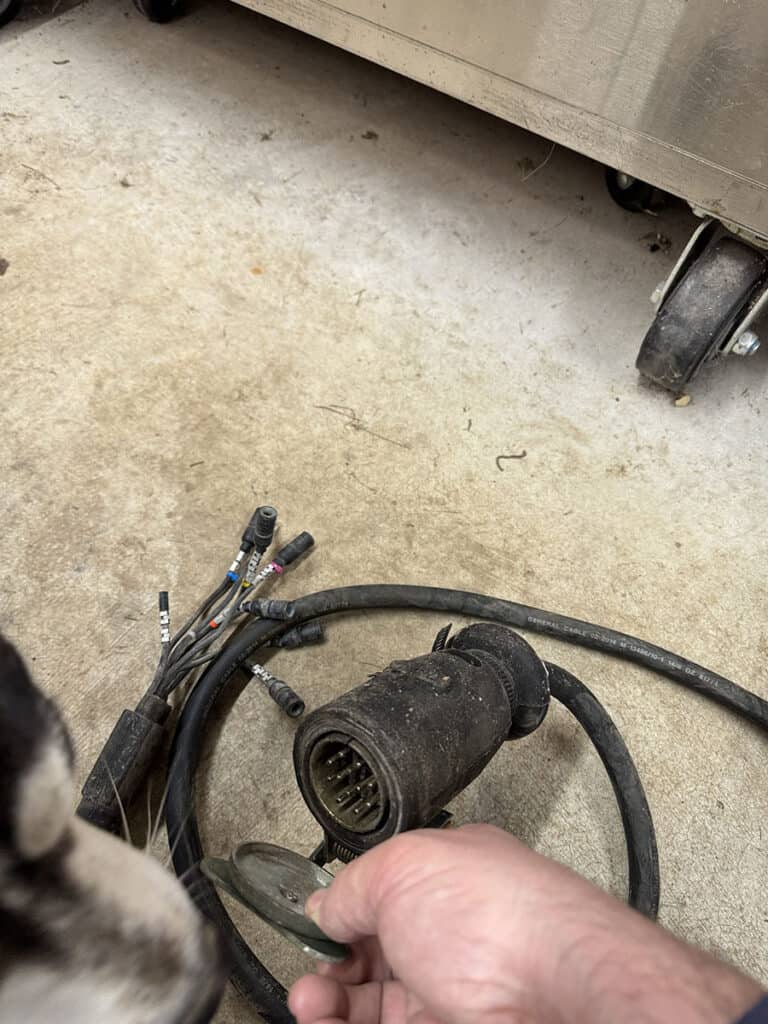
It’s durable—but not practical.
You can adapt it… but after digging into it, I realized:
Rewire vs. Adapter
You’ve got two paths:
Option 1 — Rewire at the Packard Connections (What I Did)
✔ Clean
✔ Reliable
✔ Upgradable
Option 2 — Adapter
✔ Quick plug and play – no splicing
✔ Retains originally 12-pin harness
✖ More expensive
The Setup I Went With (Simple + Future-Proof)
Here’s what I installed:
- 7-blade trailer cable (I personally prefer the 7 blade over 4-pin flat, tends to be easier to connect and disconnect in my opinion – I’ve had 4-flats that need to be wiggled backed and forth to remove)
- Weatherproof junction box
- Split loom + sealed connectors
This gives me:
- Plug-and-play compatibility with any truck
- Built-in support for future upgrades (brakes, battery, etc.)
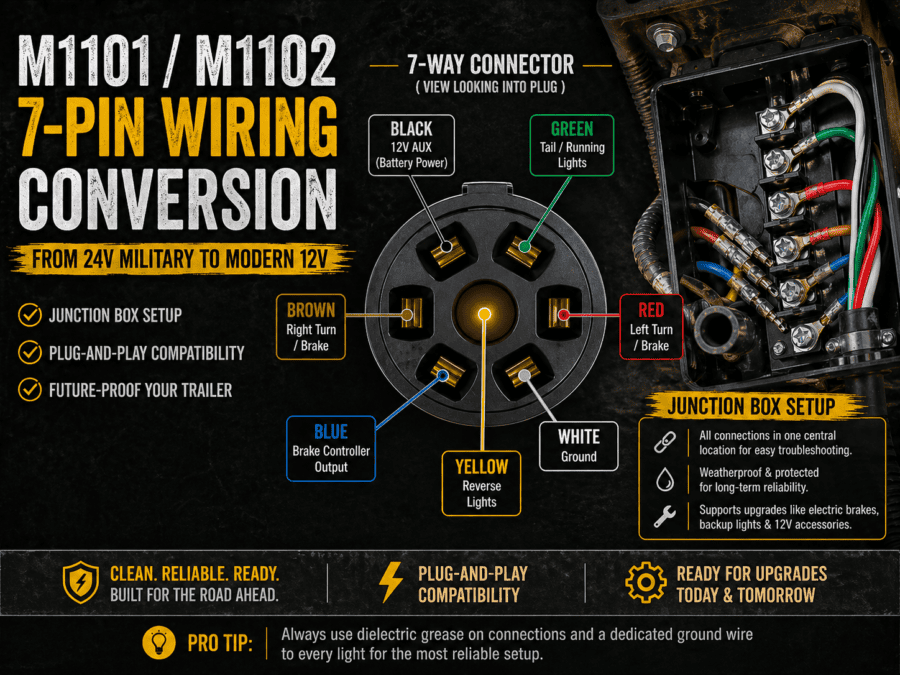
The Wiring Diagram (What Connects Where)
This is the standard 7-pin layout I used:
White  → Ground  - I ran a ground wire from the junction block to the existing ground near the disconnects
Brown  → 22 460 Running lights
Red → 22 461 Left turn / brake
Green  → 21 A Right turn / brake
Inside the junction box, each of these wires gets its own terminal—making everything clean and serviceable.
Grounding
If your lights flicker, dim, or act weird… it’s almost always a bad ground. Again, I simply ran a ground wire from the grounding terminal in the junction box to the same ground location that was near the quick disconnects.
Tips to use:
- Sand down to bare metal around the grounding location
- Used dielectric grease
This alone eliminates 90% of trailer wiring issues.
Bonus: Wire It for Future You
Even if you don’t need it yet, a 7-blade junction box is ready for:
- Blue wire → electric brakes
- Black wire → battery / accessories
- Purple wire → reverse lights or camp lighting
Trust me—you’ll want these later.
Prep Work
I ordered my harness several months ago and finally started getting around to installing it. I noticed since then some junction boxes have color coding on them. I decided to buy some oil-based paint markers so I could color code mine. It’s a lot easier than trying to read the raised plastic text.
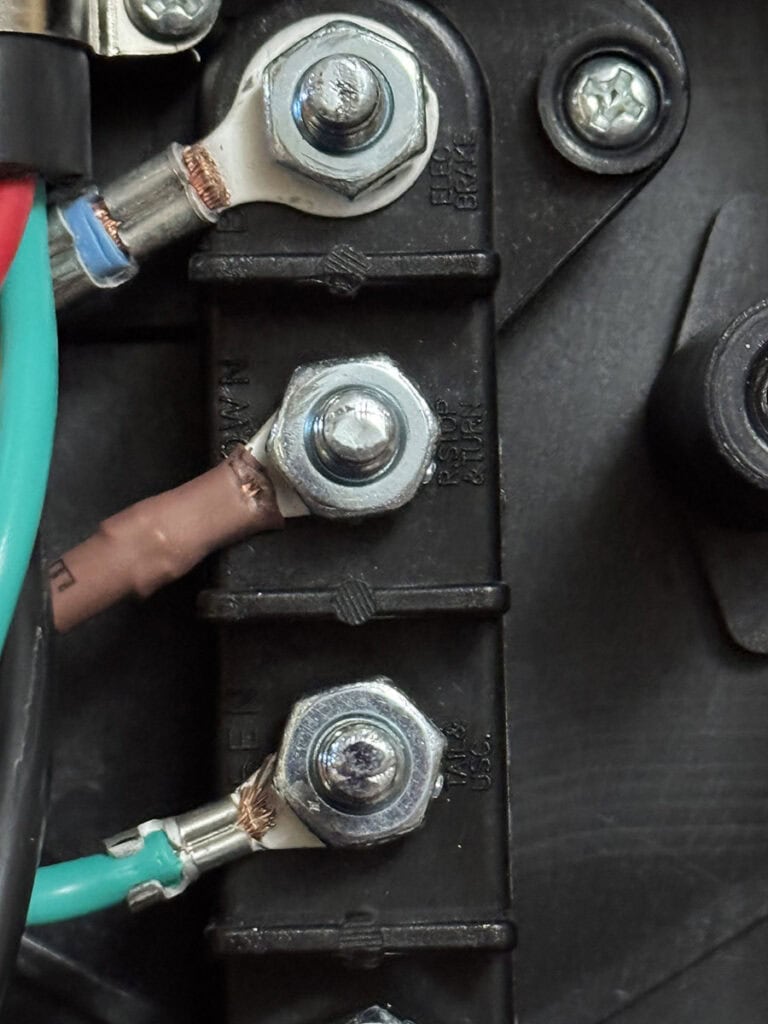
Here’s after I color coded the ends of the terminals with the paint markers. Later, I also added a stripe to the plastic just in case the terminal paint fades or peels off.
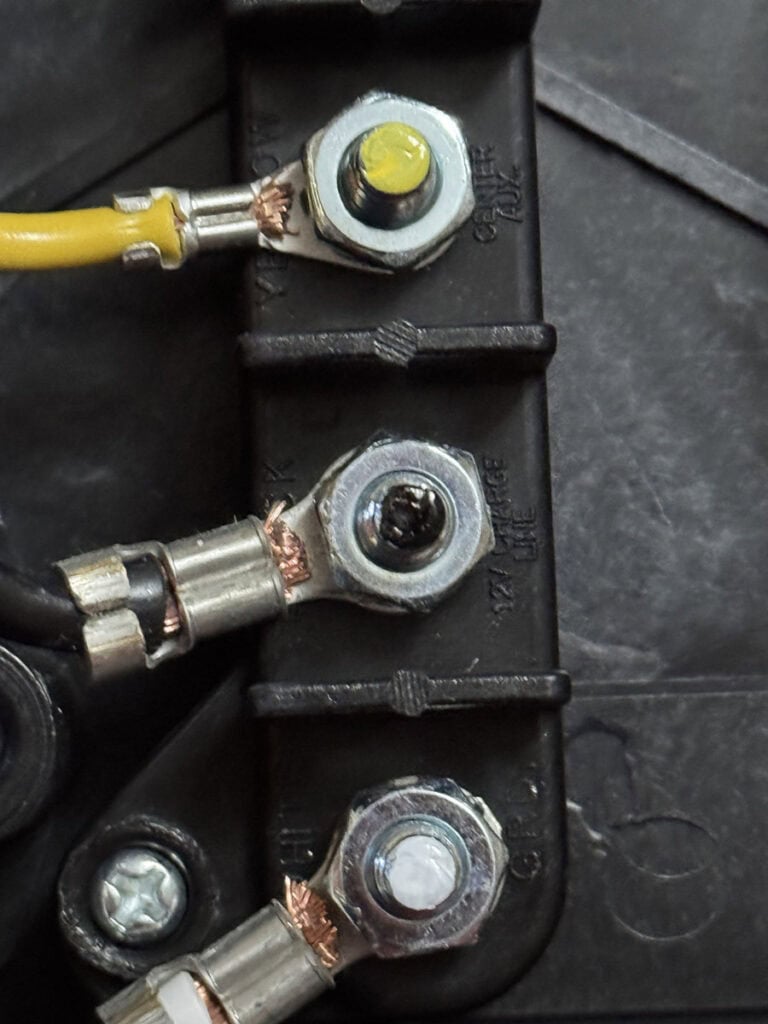
M1101 12v Conversion
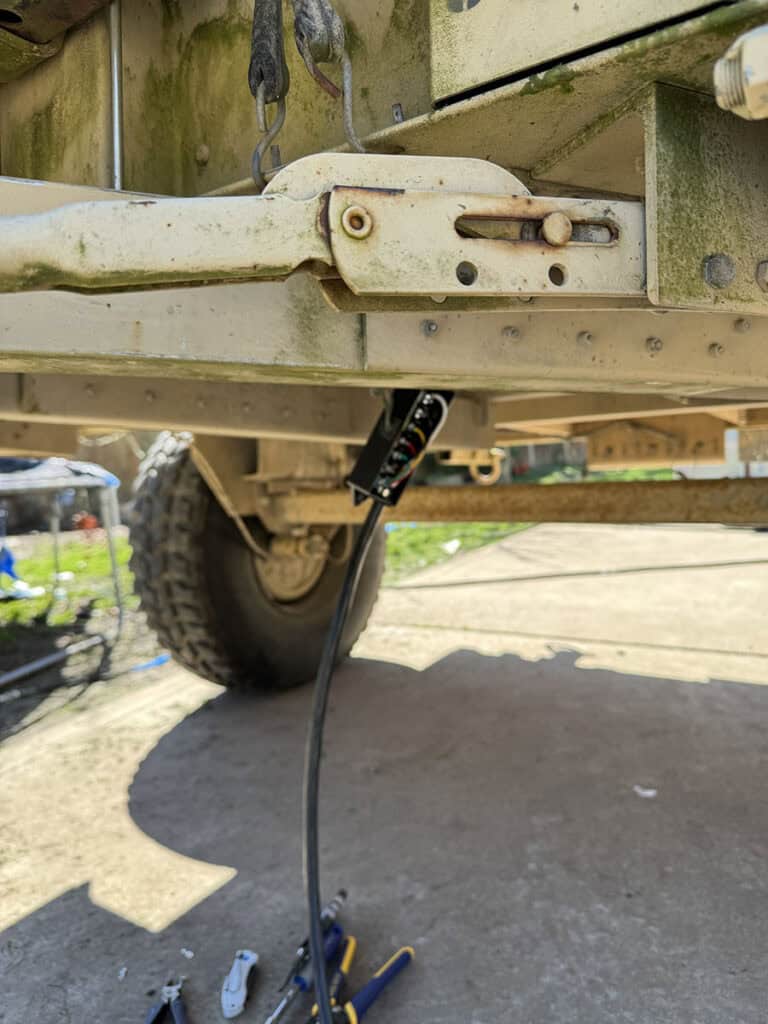
For my installation, I ended up cutting the 3 necessary wires and crimped on non-insulated ring terminals. I cut a slit in one of the grommets of the junction box and pulled the wires through. Noticed I also added color-coded zip ties to the original M1101 wiring to match what terminal the wire needed to go to. I figured this was also easier than reading a number code on the metal tags and having to cross-reference it if I ever had to remove them for some reason.
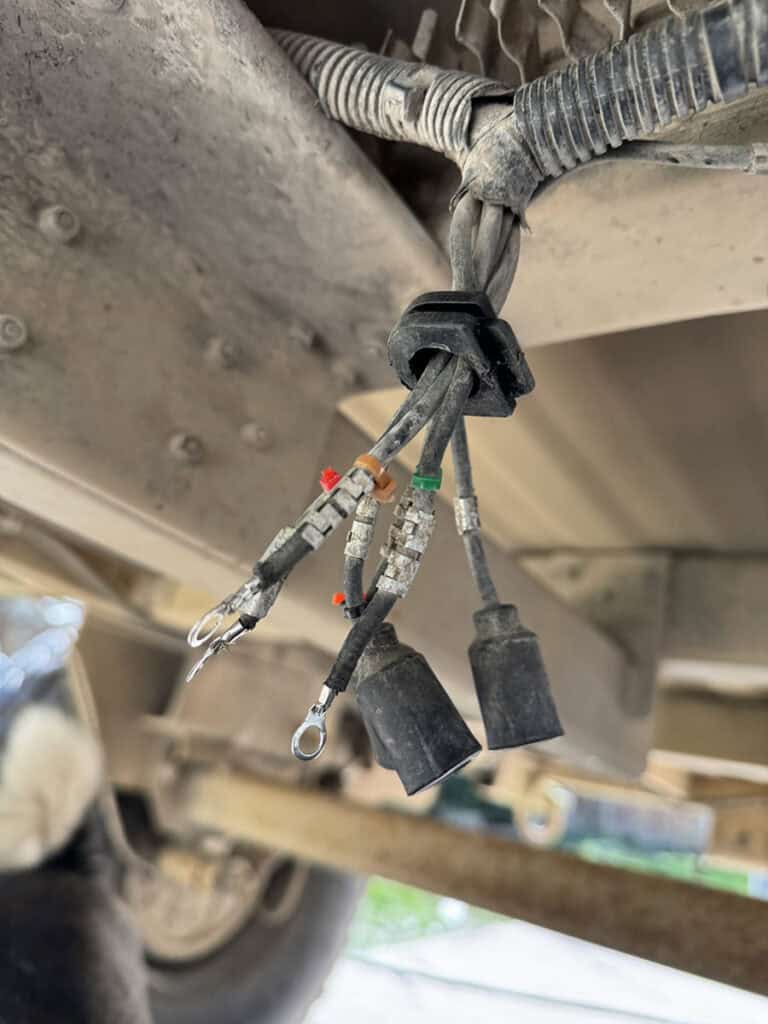
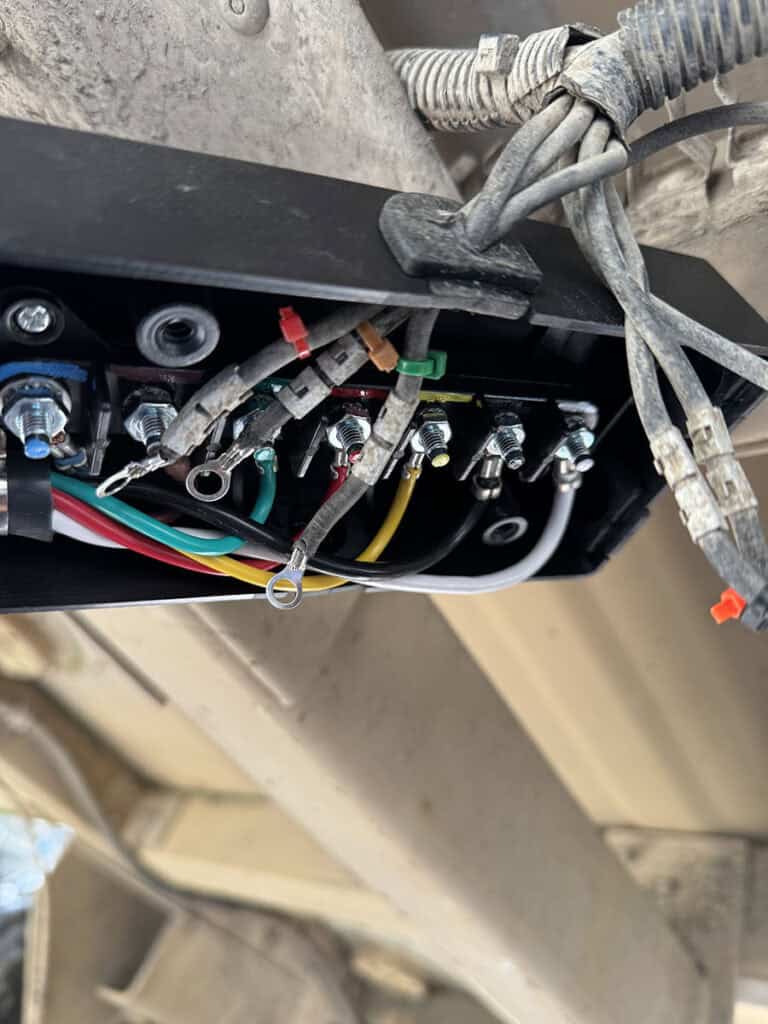
Next, it was time to make the connections.
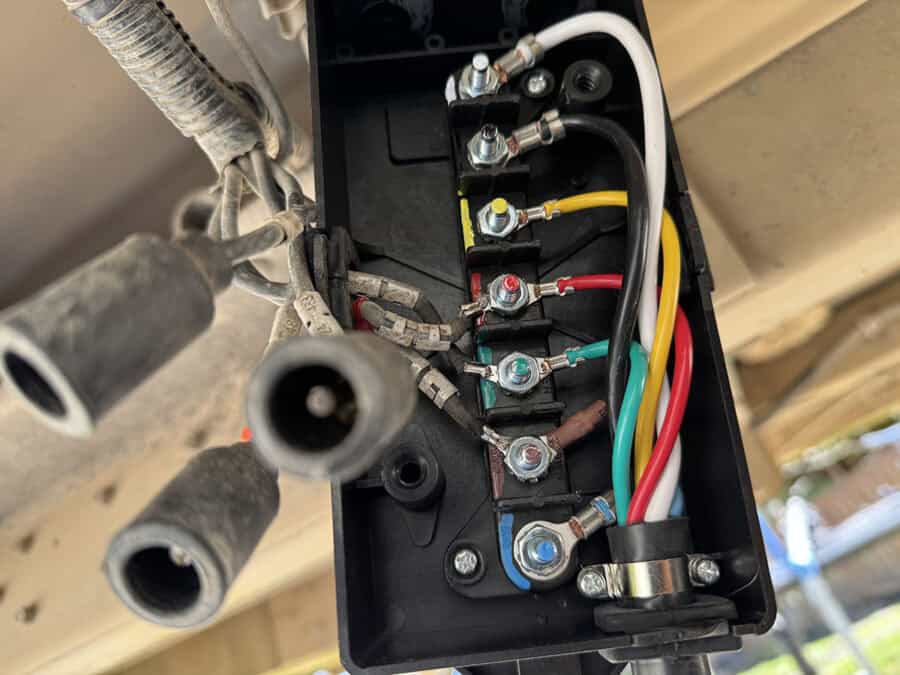
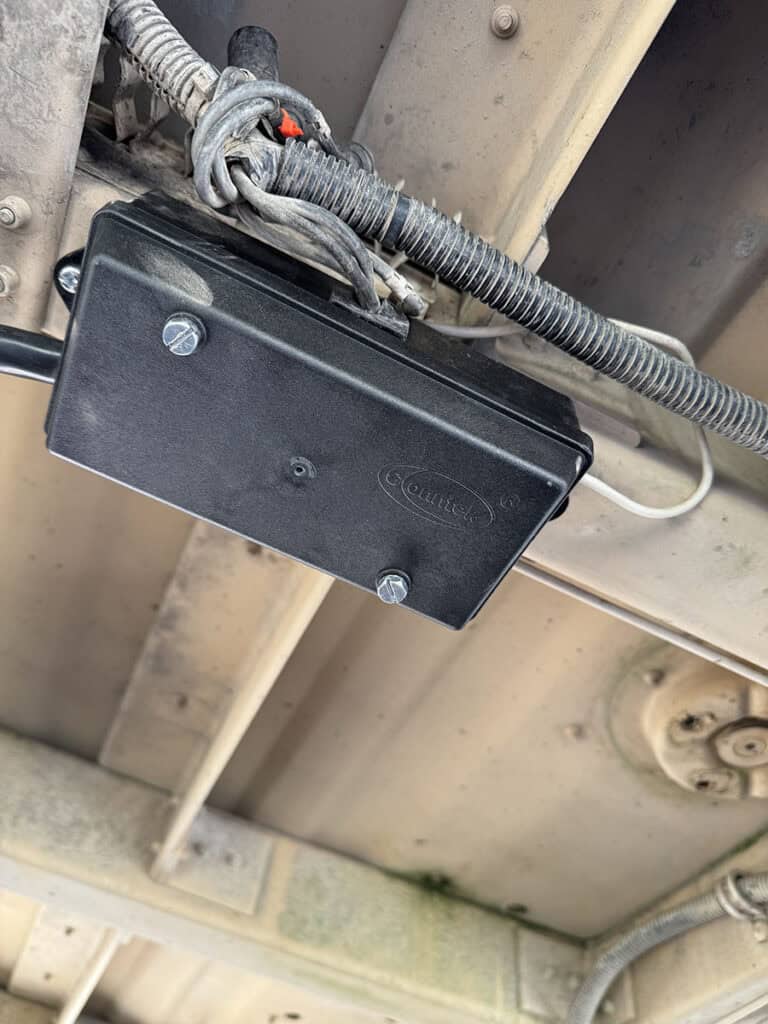
Mounting the Junction Box
I ended up marking the holes for where I would bolt the junction box. I drilled the holes and then installed rivet nuts (also called riv nuts for short). Some might try self tapping screws, but I’ve found more and more projects where I’m using these rivet nuts.
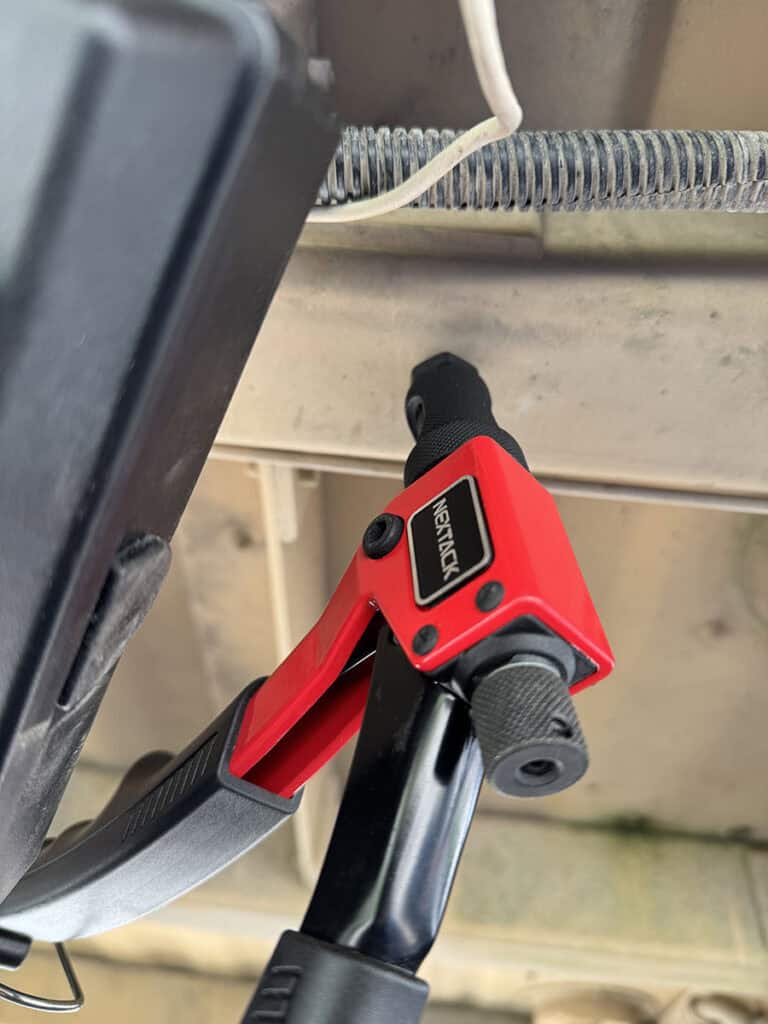
The junction box I purchased had 2 mounting tabs, one on each end. Here’s the first riv nut installed.
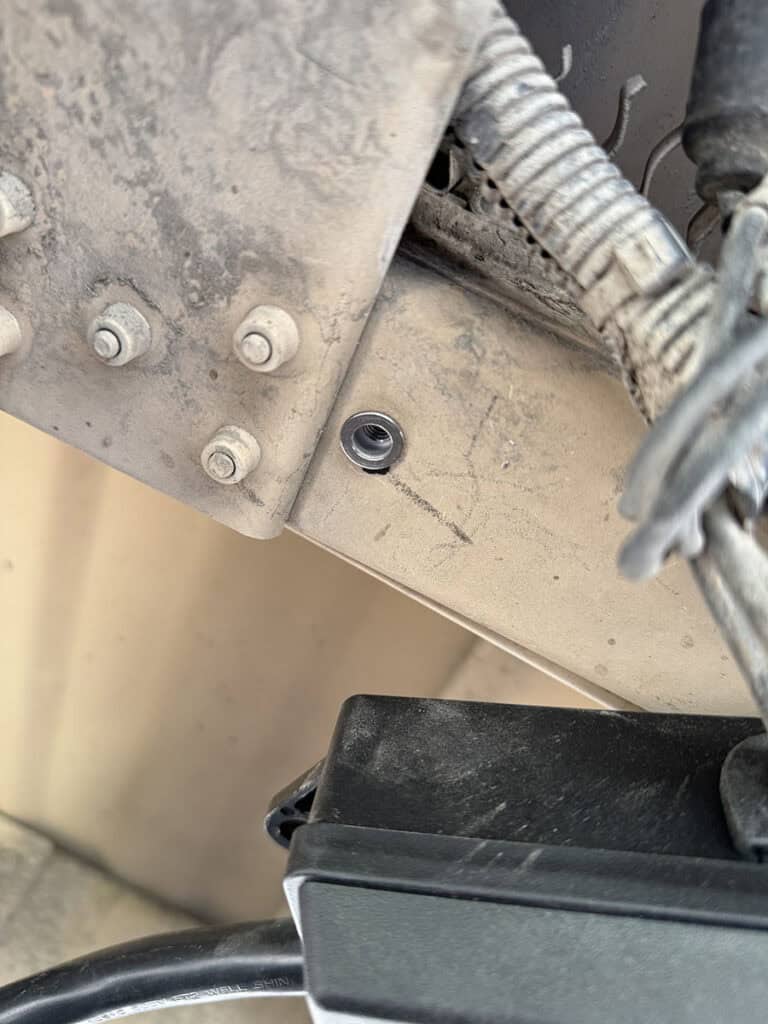
Mounted and Installed
24V Lights vs 12V
You technically can run the stock 24V tail lights. They certainly won’t be as bright since they were designed for twice the voltage. Since mine were mismatched when I bought the trailer, I decided to go with a new pair, but these are the taillights that came on my trailer. Especially in daylight, the passenger side incadescent wasn’t nearly as bright as the LED light that had apparently been swapped in at some point by the military.
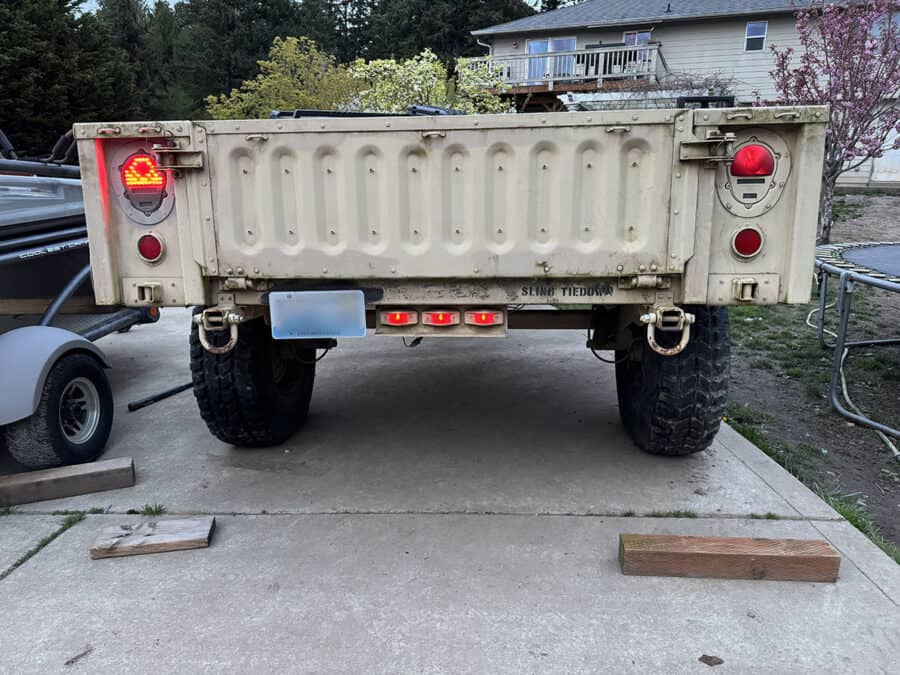
Running a “trailer light test” from the truck (hence the lights flashing).
And here’s the passenger side light which I assume was original to the trailer:
I swapped mine to LED HUMVEE replacement lights that were listed as 12V lights, they were made by Hecasa. Time will tell how these perform, but so far so good. When I bought my trailer at auction, the taillights were mismatched so I wanted to make sure I got replacements.
- Brighter
- Lower power draw
- Way more visible on the road
M1101 Taillight LED Bulb Swap
Other owners choose to swap out their incadescent bulbs with LED’s. No additional wiring is needed, simply remove the lense and swap out the original bulbs for these LED replacements. Here’s a video by Aj Phillips on swapping out for LED’s (starts 14 minutes and 7 seconds into his video where he starts talking about the LED’s.
Real-World Result
After doing this conversion, my M1101 is now:
- Fully compatible with civilian 7-blade tow vehicles
- Ready for overlanding upgrades
Final Thoughts
This is one of those upgrades that doesn’t look flashy—but completely transforms how usable your trailer is.
If you’re building out an M1101 or M1102, this should be one of the first things you knock out.